MGH Pathology - Technical Tip Sheet
From MGH Learn Pathology
Contents
How to adjust scaling on sign-out booth TVs
| 1. Click on the white search box on the task bar and type “Make everything bigger”, and hit enter | 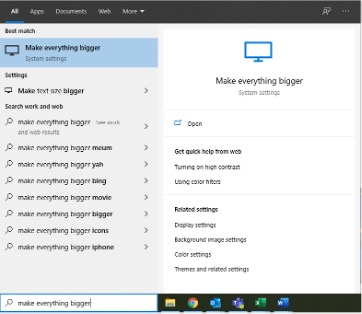 |
| 2. Under “Change the size of apps and text on the main display,” click the dropdown box
3. Choose 100% |
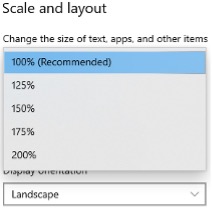 |
| 4. Open the Start menu, click the profile icon, and click “Sign out” | 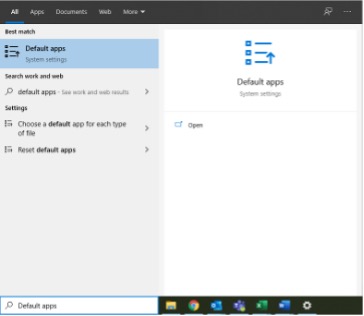 |
5. You can now log back in
How to set Google Chrome as the default browser
| 1. Click on the white search box on the task bar, type “Default apps,” and hit enter |  |
| 2. Scroll down to the bottom, under “Web browser,” and click the dropdown box |  |
3. Choose “Google Chrome”
Optimal cellsens settings
Microsoft Teams


